


M64Plus FZ Pro Emulator
4.8678.00 Reviews
App Specs
- Version
- 3.0.332 (beta)-pro
- Updated On
- License
- $3.99
- Downloads
- 100,000+
- Developer
- Francisco Zurita
- Categories
- Arcade
- Platform
- Android
Screenshots
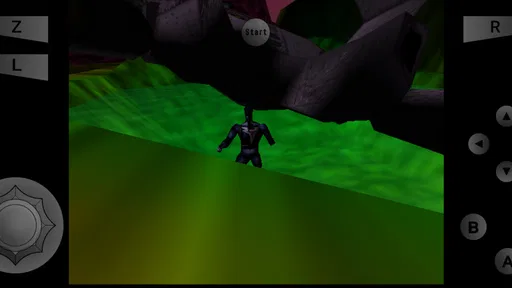
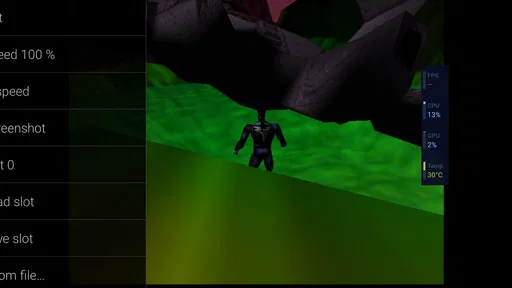
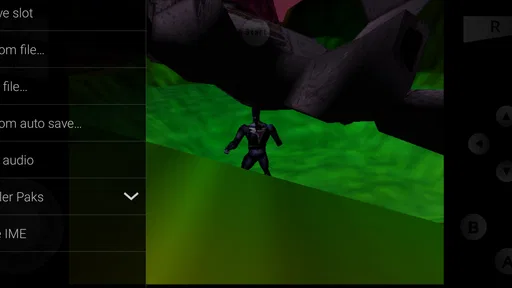
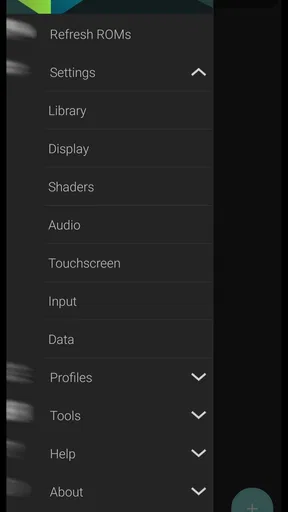
 Analysis by AppCompare
I start with a practical question: do I want to play a game right now, or spend the evening configuring an emulator? M64Plus FZ Pro Emulator is aimed at people who want to bring games from a 64-bit console to Android, but the experience still depends on having your own game files and choosing settings that suit each title. Once that groundwork is done, the appeal is easy to understand: pick a game, make an input, see the result, and decide whether to keep playing or take another run later.
Getting from launch to the first move
The first action is not quite the same as opening a game from a conventional arcade collection. This is an emulator, not a bundle of playable titles, so I need to provide compatible game files myself. That distinction matters before paying: the app does not replace the work of finding and organizing games I’m entitled to use. If I expect a ready-made library, a classic arcade compilation is the simpler choice.
Once the files are available, the useful habit is to keep them in a clear folder and add them through the app’s library workflow rather than treating each launch as a one-off. A tidy collection makes it easier to recognize what is available and return to a particular game. I’d also check that a game appears and opens correctly before spending time tuning its graphics; there is little value in adjusting options for a file that is not yet working as expected.
That makes the app a better fit for someone comfortable with a small amount of setup than for someone who wants instant, no-questions-asked play. The payoff is control over the experience, but the first session has a bit more friction than tapping a game in a normal mobile arcade app. I think of that as the entry fee for using an emulator, not a flaw unique to this one.
The feedback rhythm: input, response, adjustment
In a good session, the loop is immediate: I press a control, the game responds, and I learn whether that input feels right. M64Plus FZ Pro Emulator gives me several ways to shape that interaction, including on-screen controls and external controller support. For a quick check during a break, touch controls keep everything on one device. For a longer session, a paired controller is usually the more comfortable option, especially in games that ask for repeated or precise inputs.
There is a useful trade-off here. Touch controls are convenient, but they occupy part of the display and can feel less natural than physical buttons. A controller can improve comfort, yet it means carrying and pairing another device. I would not assume one layout is best for every game: try a short section first, then adjust the control arrangement if a button feels awkward or the screen is getting crowded.
Performance is also something I judge by the game and device rather than by a single blanket promise. The original experience describes smooth play across several tested games, but emulation can be sensitive to the title, hardware, and selected options. If something feels off, I’d change one setting at a time and retry the same short section. That makes it easier to tell whether a tweak helped, instead of changing graphics, controls, and audio together and losing track of what caused the difference.
Worth Reading Before You Choose

Flipboard Shows What News Apps Must Do Beyond the Feed

Switching to Android Auto Means Rethinking Your Driving Routine

Google Calendar Makes a Crowded Week Easier to Manage

Ludo King Makes the Most of the Minutes Between Plans

Baby Panda World Brings Quick Play to Modern Phones, but Its Game Library Feels Busy

ESPN’s Live Game View Makes Following Close Games Easier
My practical tip is to make a baseline before experimenting: leave the settings alone for a first pass, note any noticeable problem, and then make a small adjustment. High-resolution textures and shaders can make presentation more appealing, but they are optional refinements, not a reason to sacrifice a responsive feel. If a visual effect makes a game look less like I remember or seems to affect performance, switching it back is a sensible choice.
What makes another session worthwhile
The reward is not a score or a progression system supplied by the emulator; it comes from the game being played. The app’s role is to make returning to that game convenient, preserve useful settings, and support a play style that can shift between a quick touch session and a more relaxed controller session. That makes it especially appealing to people who already have favorite console games they want to revisit, rather than players looking for a new game catalog.
A realistic use case is a short evening break: I open a game I have already set up, play a small stretch using the on-screen controls, and stop when I need to. Later, at home, I can use a controller and pick up the same game again. Cloud backup is valuable in that kind of routine because saves and settings can be backed up for use across devices. I would still check that the backup is current before relying on it as the only copy of something important; a backup feature is most useful when I make sure it is actually part of my routine.
That cloud option is a practical advantage over a basic emulator workflow that keeps everything tied to one device, but it does not make every part of switching automatic. I still need the game files and a compatible setup where I plan to play. For someone who uses one phone and rarely changes devices, local play may be enough; for someone who alternates between devices, cloud backup is a stronger reason to consider this version.
Choosing it over simpler alternatives
Compared with a standard mobile arcade game, this is a very different purchase. An arcade game normally gives me its own content and a direct path into play; this emulator gives me a platform for running games I supply. Compared with a free or basic emulator, the Pro version’s $3.99 price makes most sense if I value its cloud backup and customization enough to use them. If I only want to try emulation once, or do not want to manage game files, a ready-to-play collection may be a better match.
There is also a difference between a quick setup and a carefully tuned one. I can leave options alone and get into a game, but people who enjoy adjusting video, audio, or input settings have more room to shape the experience. That flexibility is a strength when I know what I want to change; it can become a distraction if I keep tweaking instead of playing. I recommend treating configuration as a tool for solving a specific problem, not as a checklist that needs to be completed before every session.
The app is developed by Francisco Zurita and sits in the arcade-game space, though its actual content comes from the console games the player supplies. It has a 4.8 average from around 12,000 ratings and more than 100,000 installs, which suggests a sizeable audience for this style of play. It is rated for Everyone, costs $3.99, and its current version is 3.0.332 (beta)-pro, with Android 6.0 or later required. Those details make it easier to judge whether it fits a device and budget, but they do not remove the need to decide whether an emulator workflow suits you.
Unleashing Nostalgia: The Setup
First things first: getting the M64Plus FZ Pro Emulator up and running is a breeze. I was honestly surprised at how user-friendly it is. After downloading it from the app store, the installation was smooth sailing. You don’t have to be a tech wizard to get started, which is a huge plus in my book.
The app supports a wide range of ROMs, so whether you’re into action-packed adventures or classic RPGs, you’re covered. Just a heads up, though: you’ll need to source your own ROMs, as the app doesn’t come pre-loaded with any games. A quick search online should set you on the right track.
Interface and Features
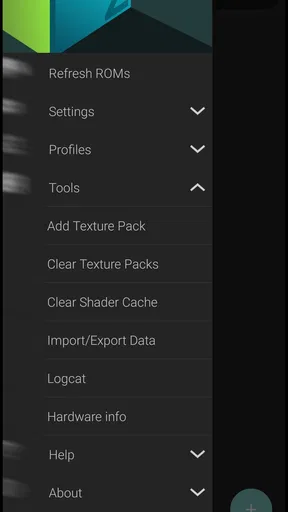
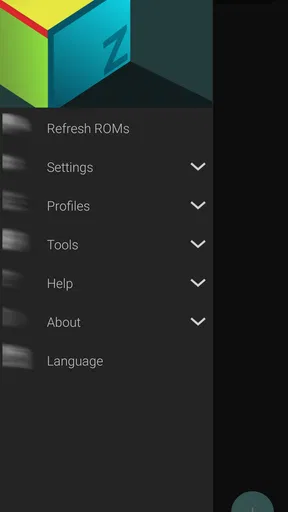
Once you dive into the app, the clean and straightforward interface makes navigating a breeze. It’s all about getting you into the game as quickly as possible, which I totally appreciate. You can tweak settings to your heart’s content, adjusting graphics, controls, and even save states. This flexibility makes it perfect for both purists and those who love to tweak for optimal performance.
The emulator supports external controllers, which, let’s be honest, is a game-changer (pun intended). I hooked up my Bluetooth controller, and the experience was seamless. If you’re a stickler for that authentic feel, this feature will definitely win you over.
Performance and Gameplay
Now, let’s talk about performance. I tested a bunch of games, and they ran incredibly smoothly. The graphics are crisp, and there’s minimal lag, even on some of the more demanding titles. The app does a fantastic job of emulating the original console experience while taking full advantage of modern hardware capabilities.
One of the standout features for me is the ability to play in both portrait and landscape modes. This flexibility is great for when you’re on the go or lounging at home. Plus, the customizable on-screen controls are a nice touch, making gameplay more intuitive and enjoyable.
Customization: Tailor Your Experience
If you’re like me and love to customize every little detail, the M64Plus FZ Pro Emulator won’t disappoint. You can adjust video settings, audio preferences, and even input configurations to suit your style. The app supports high-resolution textures and shaders, which can really enhance the visual aspect of your games.
There’s also a handy option to back up your settings and saves to the cloud. This means you can pick up where you left off, no matter what device you’re using. It’s little touches like these that make this emulator stand out from the crowd.
Wrapping Up: Is It Worth It?
So, is the M64Plus FZ Pro Emulator worth your time and money? Absolutely, yes! For anyone wanting to take a nostalgic trip down memory lane or simply explore the classics, this app is a fantastic choice. It’s packed with features that enhance your gaming experience without overwhelming you with complexity.
The combination of performance, ease of use, and customization makes it a top contender in the emulator space. Whether you’re a seasoned retro gamer or a curious newbie, you’ll find plenty to love here. So go ahead, give it a whirl—you might just find yourself lost in a pixelated wonderland!
Pros
- High compatibility with N64 games.
- Customizable controls for comfort.
- Supports cheat codes easily.
- Frequent updates enhance performance.
- Smooth graphics rendering.
Cons
- Can be complex for beginners.
- Ads in the free version.
- Some games may lag on older devices.
- Limited support for controller mapping.
- Premium features locked behind paywall.
FAQs for M64Plus FZ Pro Emulator
What is the M64Plus FZ Pro Emulator used for?
The M64Plus FZ Pro Emulator is an advanced emulator designed for playing classic Nintendo 64 games on Android devices. It provides users with the ability to experience nostalgic gaming with improved graphics and performance, making it a popular choice for retro gaming enthusiasts seeking to relive their favorite titles.
Is the M64Plus FZ Pro Emulator legal to use?
Yes, the M64Plus FZ Pro Emulator itself is legal as it does not contain any copyrighted games. However, users must own the physical copies of the games they wish to play on the emulator or have legal permission to use the ROMs. It's important to respect intellectual property rights when using emulators.
What are the system requirements for M64Plus FZ Pro Emulator?
M64Plus FZ Pro Emulator requires an Android device running version 4.4 or higher. For optimal performance, a device with a fast processor and sufficient RAM is recommended, especially for running games that demand higher processing power. Users should ensure their device meets these requirements for a smooth experience.
Does M64Plus FZ Pro Emulator support multiplayer gaming?
Yes, the M64Plus FZ Pro Emulator supports multiplayer gaming through local network play or by connecting multiple controllers. This feature allows users to enjoy classic multiplayer games with friends, recreating the original Nintendo 64 experience. Be sure to check the compatibility of your controllers with the app.
Are there customization options available in M64Plus FZ Pro Emulator?
The M64Plus FZ Pro Emulator offers a wide range of customization options, including graphics enhancements, control mapping, and save state management. Users can adjust these settings to optimize performance and tailor the gaming experience to their preferences, ensuring a personalized and enjoyable gameplay session.


